Claude Wrapped
Your Year
In Claude Wrapped
Drop your Claude data export to see your personalized stats.
Data never leaves your device (100% Private)
+
Drop ZIP here
or click to upload
↓
Scroll to see instructions
↓
How It Works
Three steps. No sign-up. No data ever leaves your browser.
1
Export Your Data
Go to your AI platform settings and request a data export. You'll get a ZIP file.
2
Drop It Here
Drag your ZIP file into the upload zone above.
3
Get Wrapped
See your personalized stats, patterns, and insights. Instantly.
Export Instructions
Follow these detailed steps to export your Claude data.
🧡
Claude
Export your Claude conversation history
Step-by-Step Instructions
- 1Go to claude.ai and sign in
- 2Click your initials in the lower left corner
- 3Select "Settings"
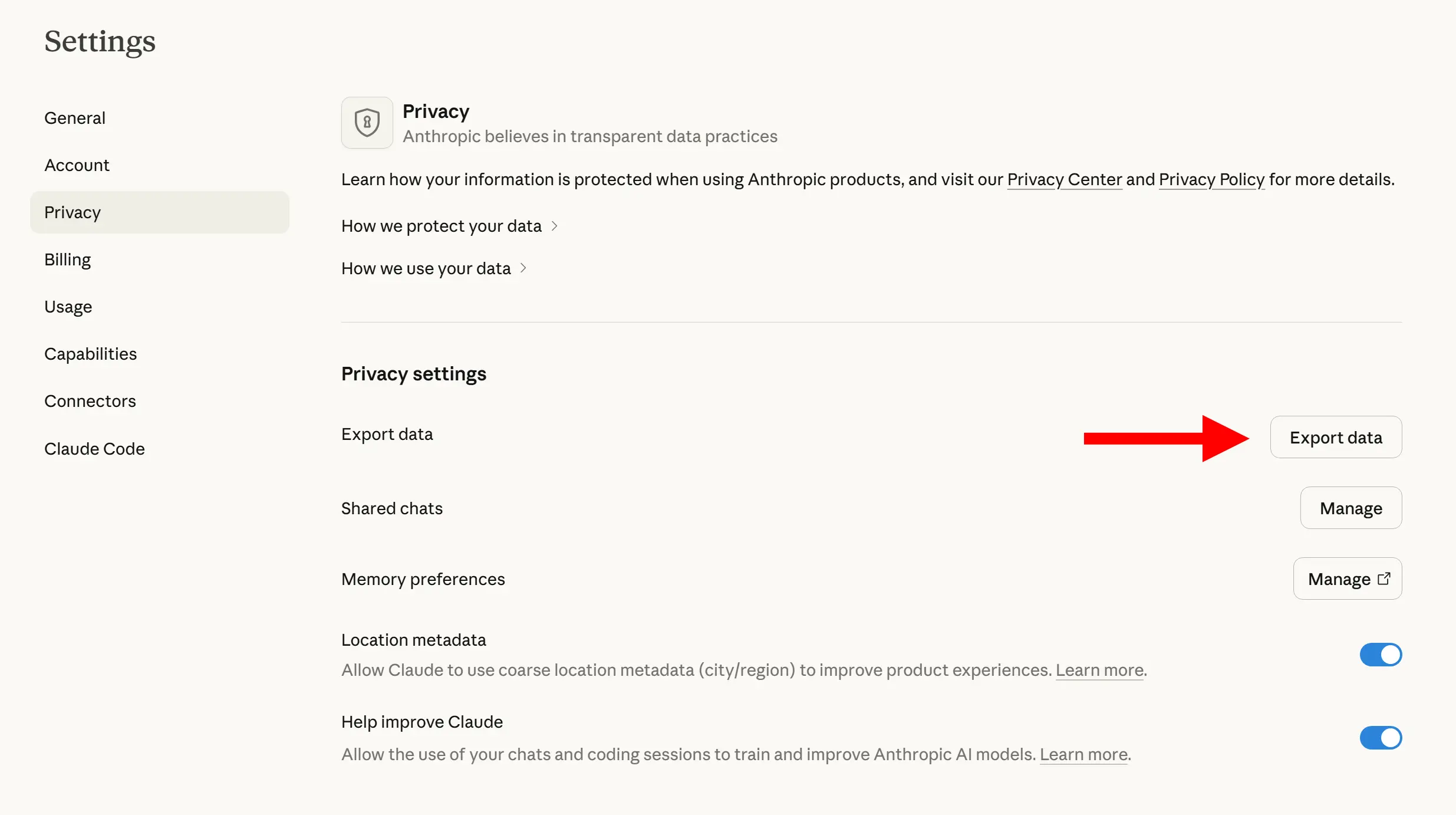
- 4Navigate to the "Privacy" section
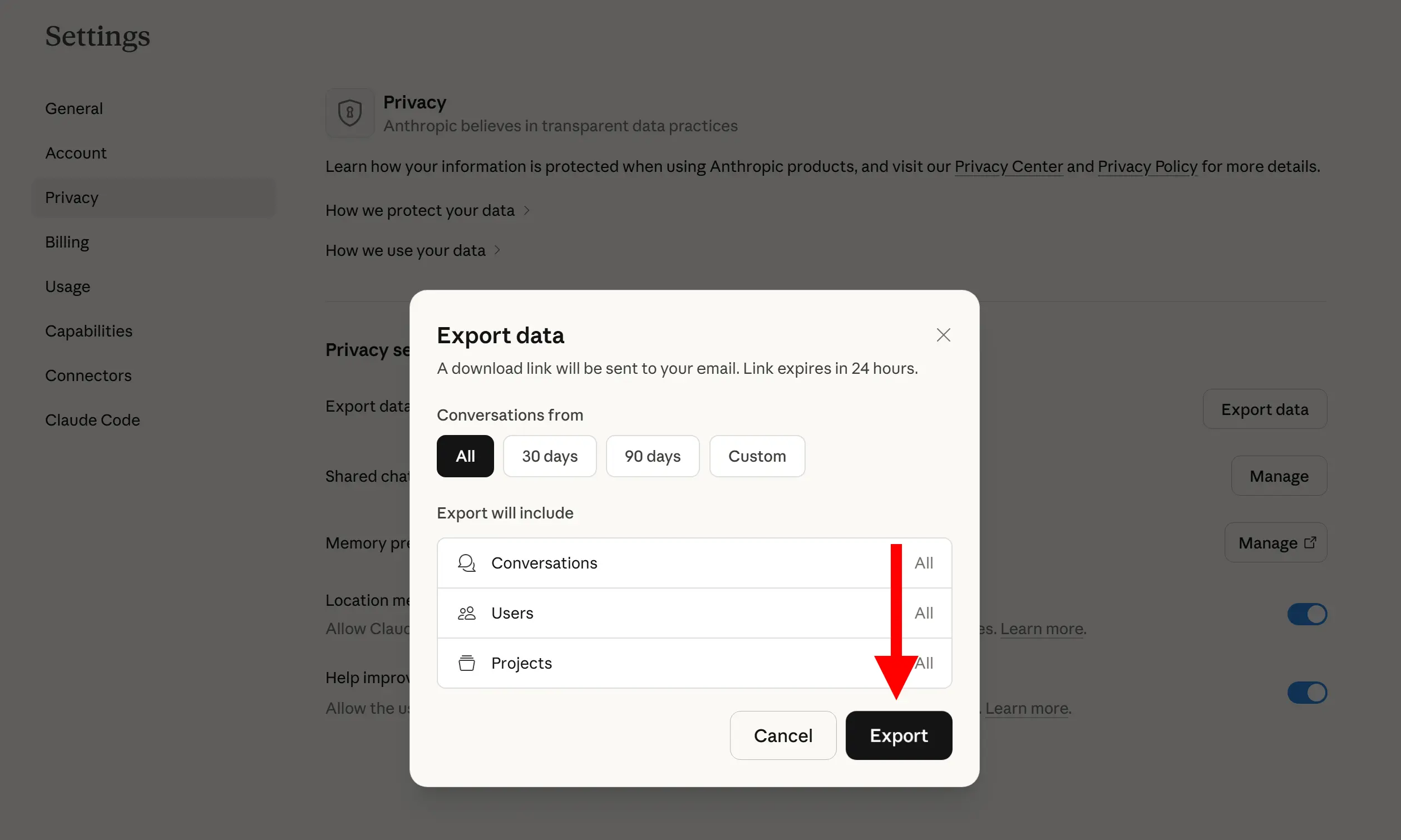
- 5Click "Export data"
- 6Wait for processing (may take a few minutes)
- 7Check your email for the download link
- 8Download the .dms file
- 9Rename it from .dms to .zip and extract normally
Visual Guide
Frequently Asked Questions
Everything you need to know about Claude Wrapped